

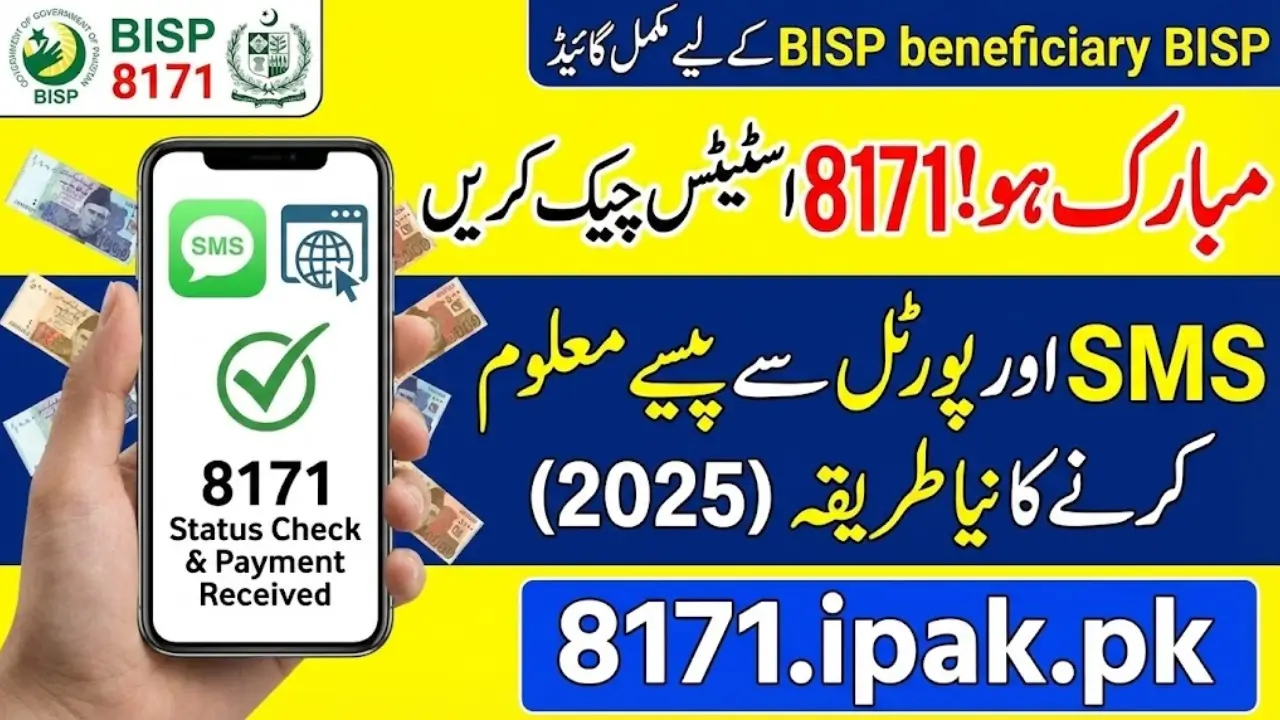
Check 8171 Status on bisp.gov.pk
The Benazir Income Support Programme continues to play a crucial role in supporting low-income families across Pakistan. In 2025, the government has introduced easier, faster, and more transparent ways to check your BISP 8171 eligibility and payment status through the official portal and the 8171 SMS service. With millions of beneficiaries depending on quarterly payments, knowing how to verify your status online or through mobile is essential to avoid delays and stay updated with the latest government notifications.
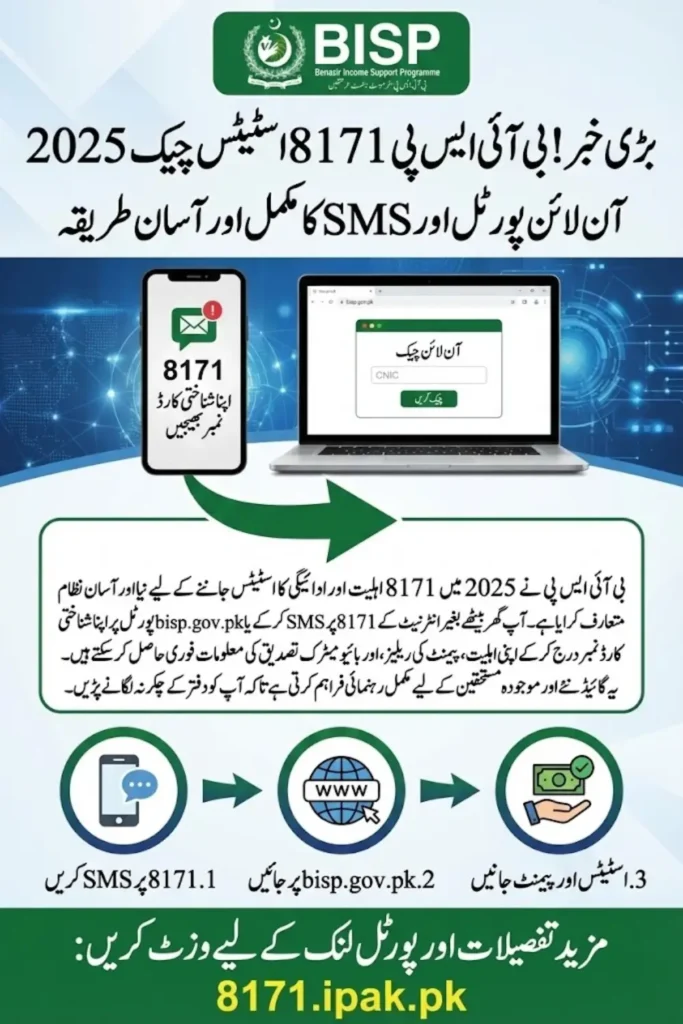
This complete guide explains, in simple language, how you can check your eligibility, confirm payment status, and resolve issues using both the bisp.gov.pk portal and the official 8171 SMS service. Whether you are a new applicant, an existing beneficiary, or someone whose payment is on hold, this guide ensures that you get the correct information in the easiest way possible.

Why Should You Check Your 8171 Status Online?
Checking your 8171 status online gives beneficiaries early access to important updates. It also helps avoid unnecessary visits to BISP centers, especially during crowded payment seasons.
Main Reasons to Check Status Regularly

- Confirm whether you are eligible for the upcoming installment.
- Verify if your payment has been released or is still in process.
- Check if BISP has marked you for a re-survey or dynamic registration.
- Identify whether your CNIC has expired or needs biometric verification.
- Avoid payment delays caused by missing documents or data errors.
This helps beneficiaries prepare in advance and ensures smooth payment collection.
How to Check 8171 Status Online Through the BISP Portal?
The 8171 bisp.gov.pk portal is the most reliable way to check eligibility and payment status. The website is easy to use and provides instant results after entering your CNIC.

Steps to Check Status on the Portal
- Visit the official BISP portal.
- Enter your 13-digit CNIC number in the verification box.
- Type the verification code displayed on the screen.
- Click the button to check your eligibility status.
- Wait for the system to confirm your payment or eligibility update.
After this, the portal will show whether you are eligible, ineligible, under verification, or in survey pending status.
How to Check BISP 8171 Status Through SMS?
The SMS method is the simplest option for people without internet access. The 8171 service instantly sends back your status update.
Steps to Check via SMS
- Open the messaging app on your mobile phone.
- Type your CNIC number without spaces.
- Send the message to 8171.
- Wait for the automated reply from the service.
- Read the message to confirm your eligibility or payment information.
This service works on all networks across Pakistan and is especially useful for rural areas.
You Can Also Read: BISP 8171 SMS Registration, Enroll Easily from Home
What Information Will You Receive After Checking the Status?
After checking your status, the system provides important details about your eligibility and payment release.
Information You May Receive
- Whether you are eligible, under verification, or disqualified.
- Release date of your payment installment.
- Whether your biometric verification is pending.
- If you need to complete a dynamic survey.
- Instructions for payment collection from retailers or bank agents.
These details help beneficiaries plan their visit to payment centers and avoid rejection.
You Can Also Read: Ehsaas Program 25,000 CNIC Check 2025, Online Verification Guide
How to Confirm Payment Release for the 2025 Installment?
Once payments are released, the portal and SMS service notify beneficiaries about their installment.
Ways to Confirm Payment Release
- Check the BISP portal for updated payment status.
- Send your CNIC to 8171 for instant confirmation.
- Visit your nearest BISP payment center for verification.
- Use the bank agent system if you receive payments through HBL or other partners.
- Check your payment message sent by BISP on your registered mobile number.
This ensures you do not miss any installment.
You Can Also Read: BISP 8171 Balance Check & HBL ATM Withdrawal 2025 – Full Step-by-Step Guide
How to Use the BISP Portal If You Are a New Applicant?
New applicants must check their eligibility after completing the NADRA survey or dynamic registration.
Steps for New Applicants
- Visit the portal and enter your CNIC after completing the survey.
- Confirm if your data is uploaded successfully.
- Check whether BISP has assigned you an eligibility status.
- If the portal shows “Survey Pending,” visit your nearest NSER center.
- Update your information if required.
This allows new families to quickly join the program.
You Can Also Read: BISP Out-of-District CNIC Problem December 2025 – Complete Update & Step-by-Step Guide
What to Do If Your 8171 Status Shows Ineligible?
If you are declared ineligible, you may still be able to correct the issue.
Solutions for Ineligibility
- Visit a NADRA office and update your family information.
- Complete the dynamic registry survey at the nearest BISP center.
- Correct data errors related to marital status or address.
- Ensure your income level is updated according to BISP requirements.
- Recheck your status after 15 to 30 days.
Many beneficiaries become eligible again after proper data updates.
You Can Also Read: 8171.bisp.gov.pk 2025 Now Active – December 2025 Updates for Beneficiaries
How to Resolve “Under Verification” Status?
This status appears when BISP has not fully reviewed your information.
Steps to Resolve Verification Issues
- Wait for the verification period to complete.
- Visit the BISP help desk for updates.
- Ensure your CNIC is valid and not expired.
- Update missing family records at NADRA.
- Recheck your status every few days.
Verification issues typically resolve automatically once data is updated.
You Can Also Read: 8171 Web Portal December 2025 – Quick & Simple Way to Confirm Your Rs. 25,000 Payment Online
What to Do If Your CNIC Is Blocked or Expired?
A blocked or expired CNIC can stop your payment release.
How to Fix CNIC Issues
- Renew the CNIC immediately from NADRA.
- Update fingerprints if a biometric mismatch occurs.
- Check if your family number or address needs correction.
- Resend your CNIC to 8171 after updating your data.
- Visit BISP centers if blocking continues.
An updated CNIC ensures timely payments.
You Can Also Read: IMF Sanctions $1.2 Billion Aid Program to Support Pakistan’s Economy
How Retailers and Bank Agents Help You Collect Payments?
Beneficiaries receive payments through registered agents and banks.
How the Agent System Works
- Visit any authorized BISP retailer or bank agent.
- Provide your original CNIC for verification.
- Complete biometric verification using fingerprints.
- Collect your cash after confirmation.
- Get a printed payment slip to avoid disputes.
Always make sure the retailer does not deduct any amount illegally.
You Can Also Read: Punjab 5th & 8th Board Exams 2026: How They Will Transform Classroom Teaching – Guide for Parents & Teachers
How to Protect Yourself from Scams While Using the 8171 Service?
Scam messages are increasing, so beneficiaries must stay careful.
Safety Tips
- Only trust messages from official BISP numbers.
- Never share your CNIC with unknown numbers.
- Avoid fake websites claiming to offer online payments.
- Report scam messages to helplines.
- Visit official centers for sensitive information.
This protects you from fraud and data misuse.
You Can Also Read: How to Verify Your E-Challan in Punjab – Quick Online Traffic Fine Check 2025
Conclusion
The 8171 BISP online and SMS systems in 2025 make it easier than ever for beneficiaries to check their eligibility and payment status without visiting offices repeatedly. By using the bisp.gov.pk portal or sending a simple SMS to 8171, families can stay updated about their installments, avoid delays, and receive clear notifications regarding verification, biometric updates, and payment schedules.
With millions of families relying on these payments, understanding the correct method to check your status helps ensure timely financial support. Whether you are a new applicant or an existing beneficiary, following the steps in this guide will help you stay informed, avoid confusion, and access your entitled benefits without difficulty.
You Can Also Read: BISP 8171 Digital Wallet Pilot – Easy, Secure Online Payments for Beneficiaries
Frequently Asked Questions
What is the easiest way to check BISP 8171 status?
You can check your status by entering your CNIC on the BISP portal or by sending an SMS to 8171.
Is the 8171 SMS service free?
Normal SMS charges may apply depending on your network, but the reply from BISP is free.
What should I do if my payment is not showing on the portal?
Update your information at NADRA or visit the nearest BISP center for verification.
Can I check my eligibility without internet?
Yes, the 8171 SMS service works on all mobile phones without internet.
What documents are needed to collect payment?




You only need your original CNIC for biometric verification.
You Can Also Read: 8171 BISP PMT Score Boost: How to Increase Your Eligibility for Approval – Complete Guide